Recap: Windows 11's next annual update, version 26H2, won't be a large download, but it does mark a meaningful shift in how the operating system handles its interface, search, backups, and AI. Since it ships as an enablement package on the same "Germanium" platform that underpins 24H2 and 25H2, PCs already running either of those versions should be able to complete the upgrade in a few minutes with a single reboot.
Many of the features aimed at power users and IT teams, like Point-in-Time Restore and Cloud Rebuild, have already started rolling out through cumulative updates rather than waiting for 26H2's official release. What 26H2 does is pull those pieces together, alongside a more flexible taskbar and Start menu, a more locally focused search experience, deeper Copilot integration, and new defaults for cloud-assisted recovery on managed PCs.
Here's a rundown of everything expected to land with the update, likely around October 2026.
Users can finally move the taskbar to any edge of the screen
The taskbar is one of the most visible changes. With 26H2, users will be able to move it to any edge of the screen (top, bottom, left, or right) and switch to a smaller layout with reduced icon sizes. It's a restoration more than an innovation: the ability to reposition the taskbar existed in Windows 10 and earlier, and was removed when Windows 11 launched its redesigned shell in 2021.

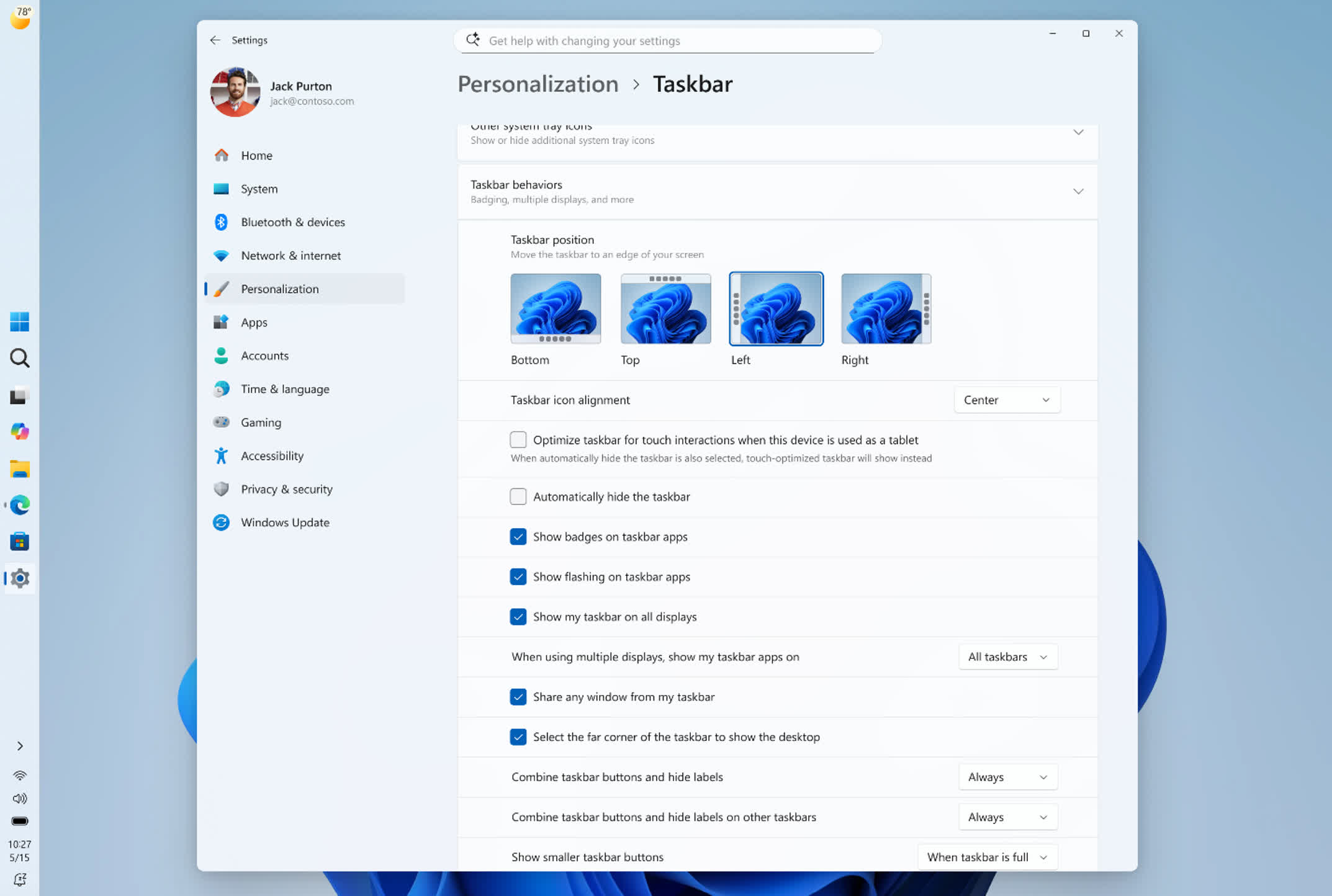
Microsoft is also adjusting how the rest of the interface behaves depending on where the taskbar sits; placing it along the top edge, for example, makes the Start menu and search panel open downward instead of upward.
The Start menu and search get more user control
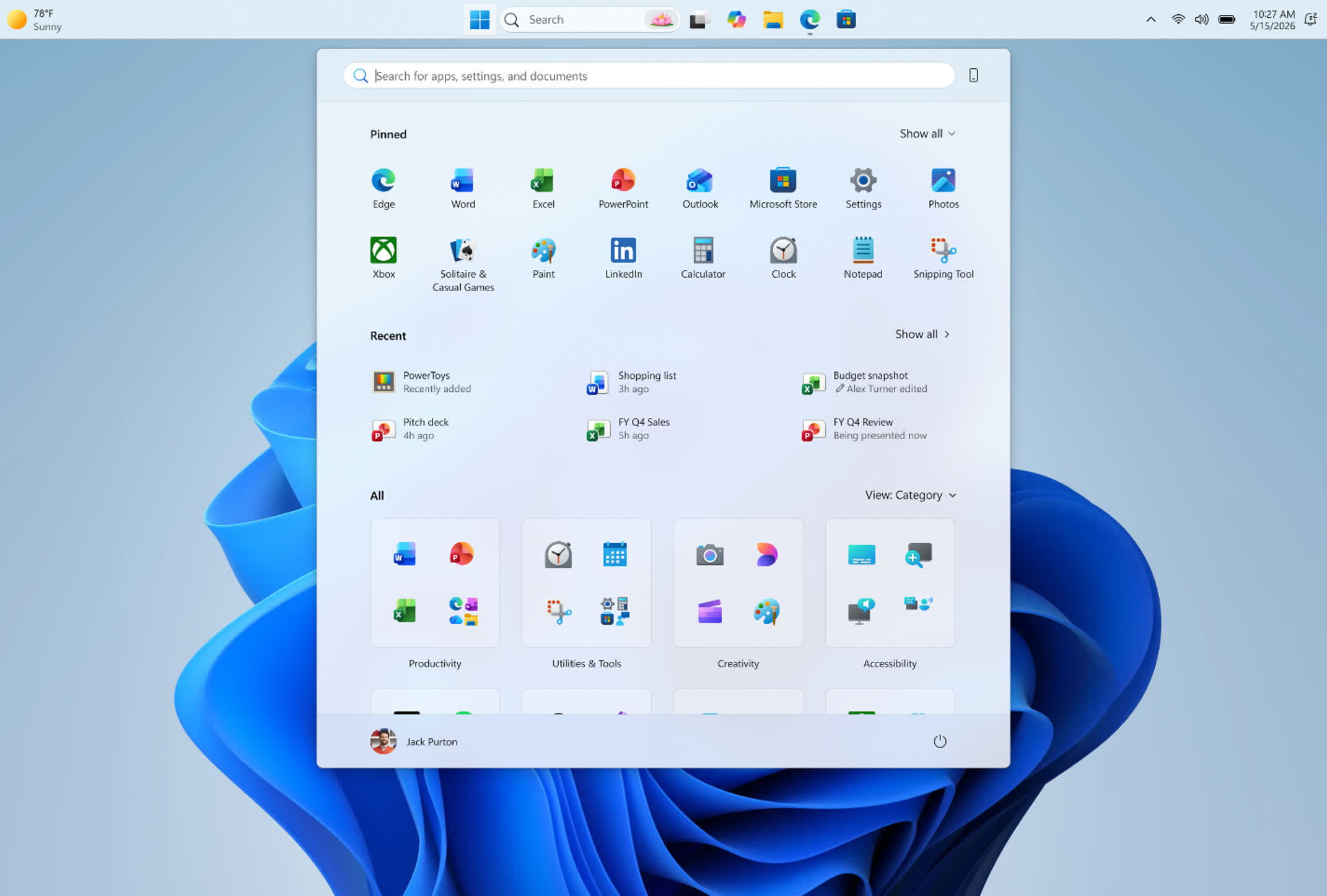
The Start menu is also getting more configuration options, including size presets and toggles to show or hide the Pinned, Recent, and All apps sections. Microsoft is adding a privacy setting too, one that hides account details during screen sharing.
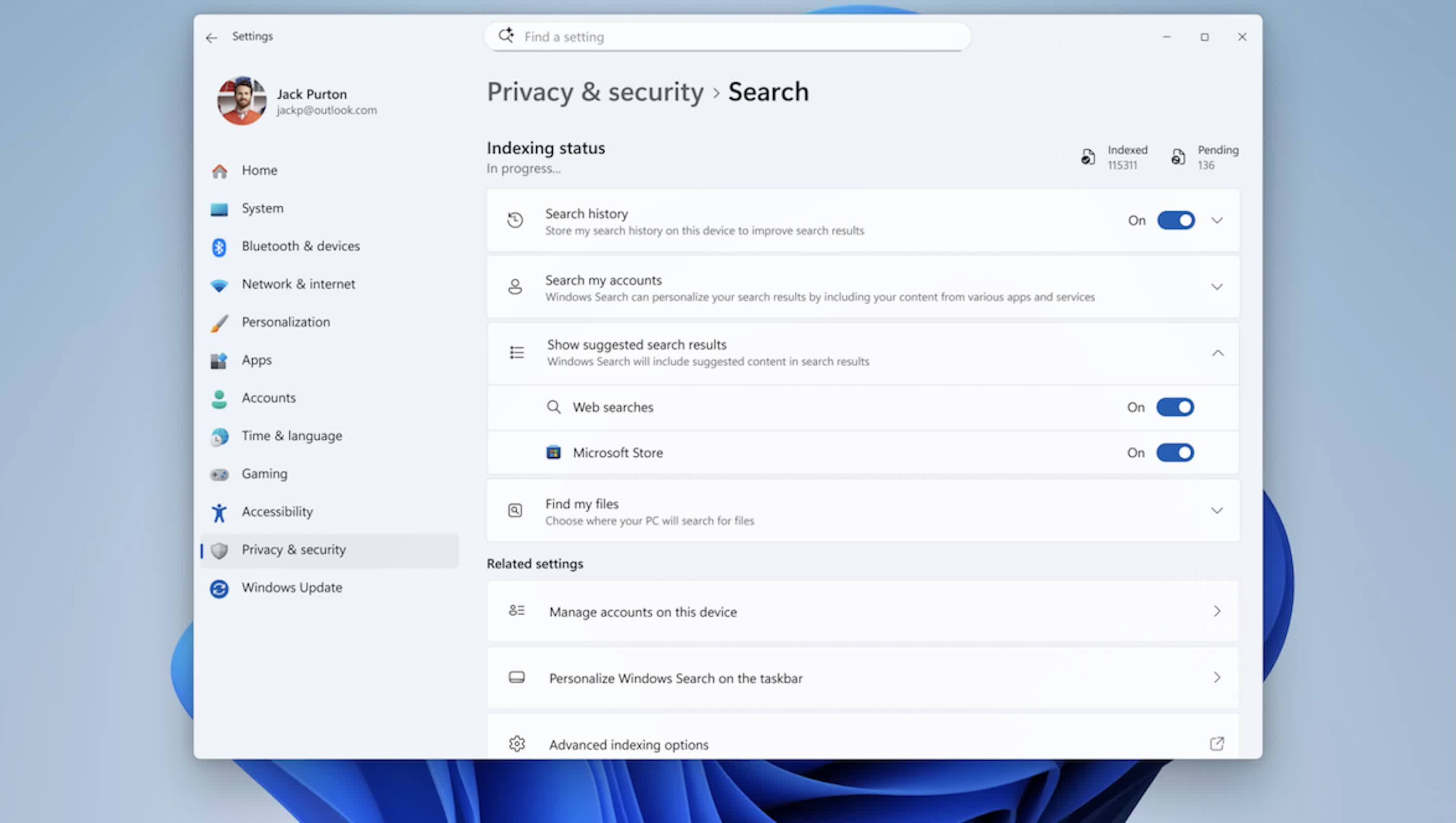
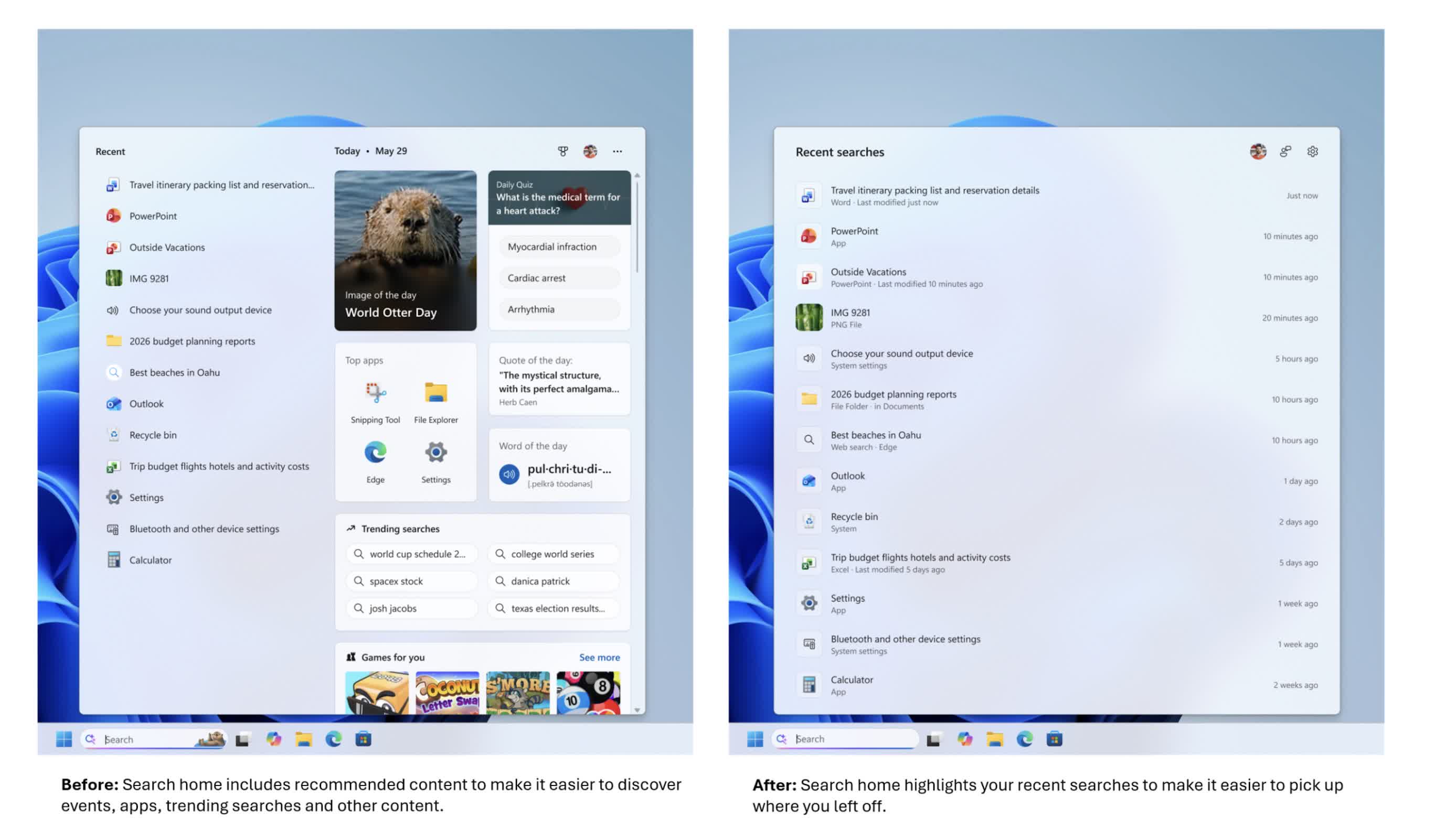
Search, meanwhile, is being adjusted to behave more like a local search tool than a web front end. The layout is expected to be cleaner, with better ranking that favors apps, settings, and local files over web and Microsoft Store results.
Most notably, Microsoft is adding a switch to turn off web results entirely, so search can focus only on what's on the machine. For developers, admins, and power users who rely on predictable search behavior, that local-only option is likely to matter more than any visual change. Microsoft is also testing "Ask Copilot" as an AI-enhanced alternative sitting alongside traditional search.
Cloud-assisted recovery becomes the default, mainly for business PCs
The update also leans further into cloud-assisted setup and recovery, though the details are narrower than a blanket rollout to every Windows 11 device. Starting with 26H2, Windows settings backup and restore (formerly Windows Backup for Organizations) switches from opt-in to on by default, but only for eligible Microsoft Entra devices, essentially PCs managed by a workplace, and only in regions outside the EU's Digital Markets Act.
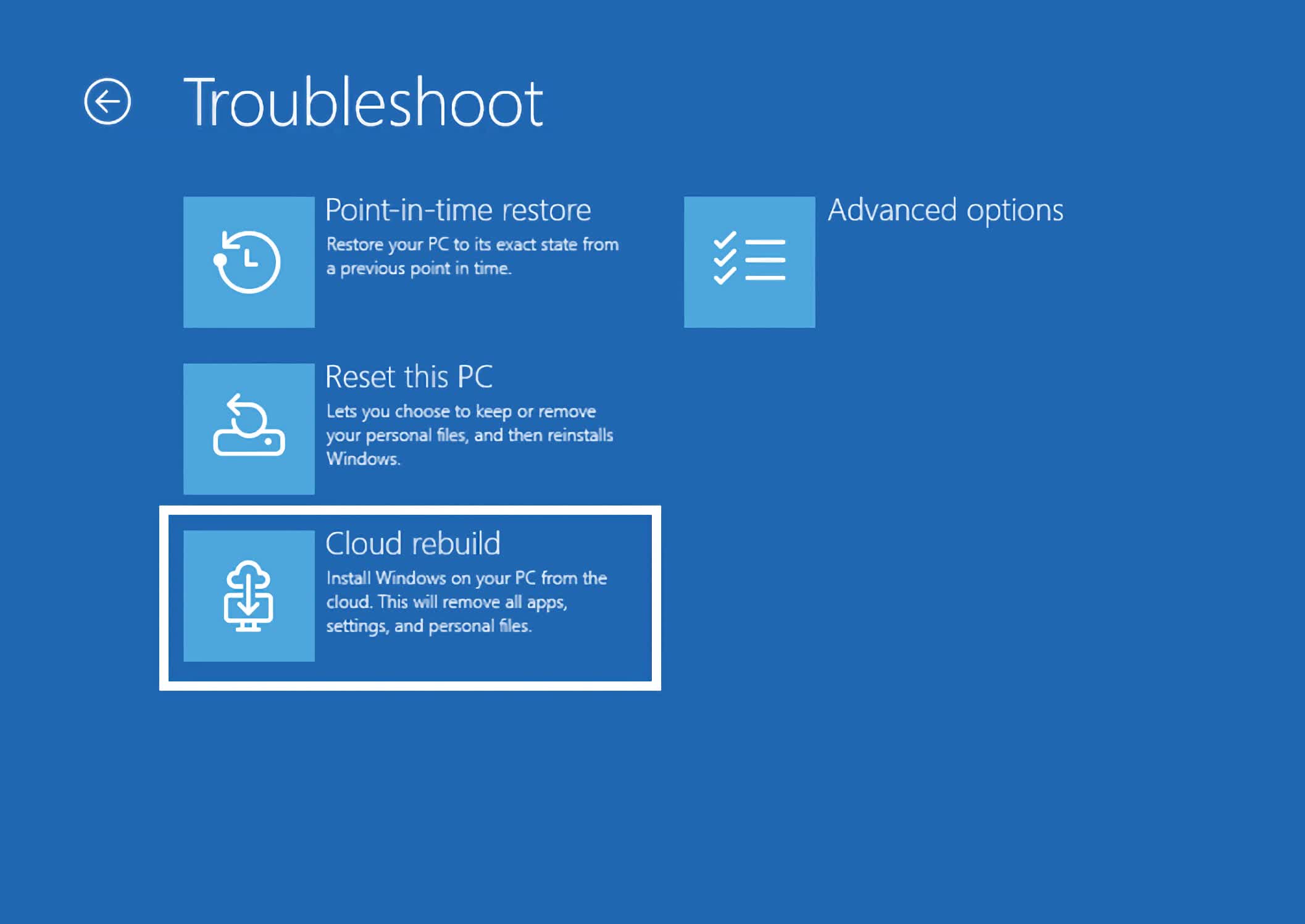
On those systems, Windows automatically saves configuration settings and the Microsoft Store app list so a device can be restored to a familiar state after a reset, reimage, or hardware swap. Restoring that backup still requires separate admin configuration, so the change affects what gets backed up automatically, not what gets restored automatically.
Personal files aren't part of this feature; that's still handled separately through OneDrive folder backup, which has been on by default for Microsoft account sign-ins for some time.
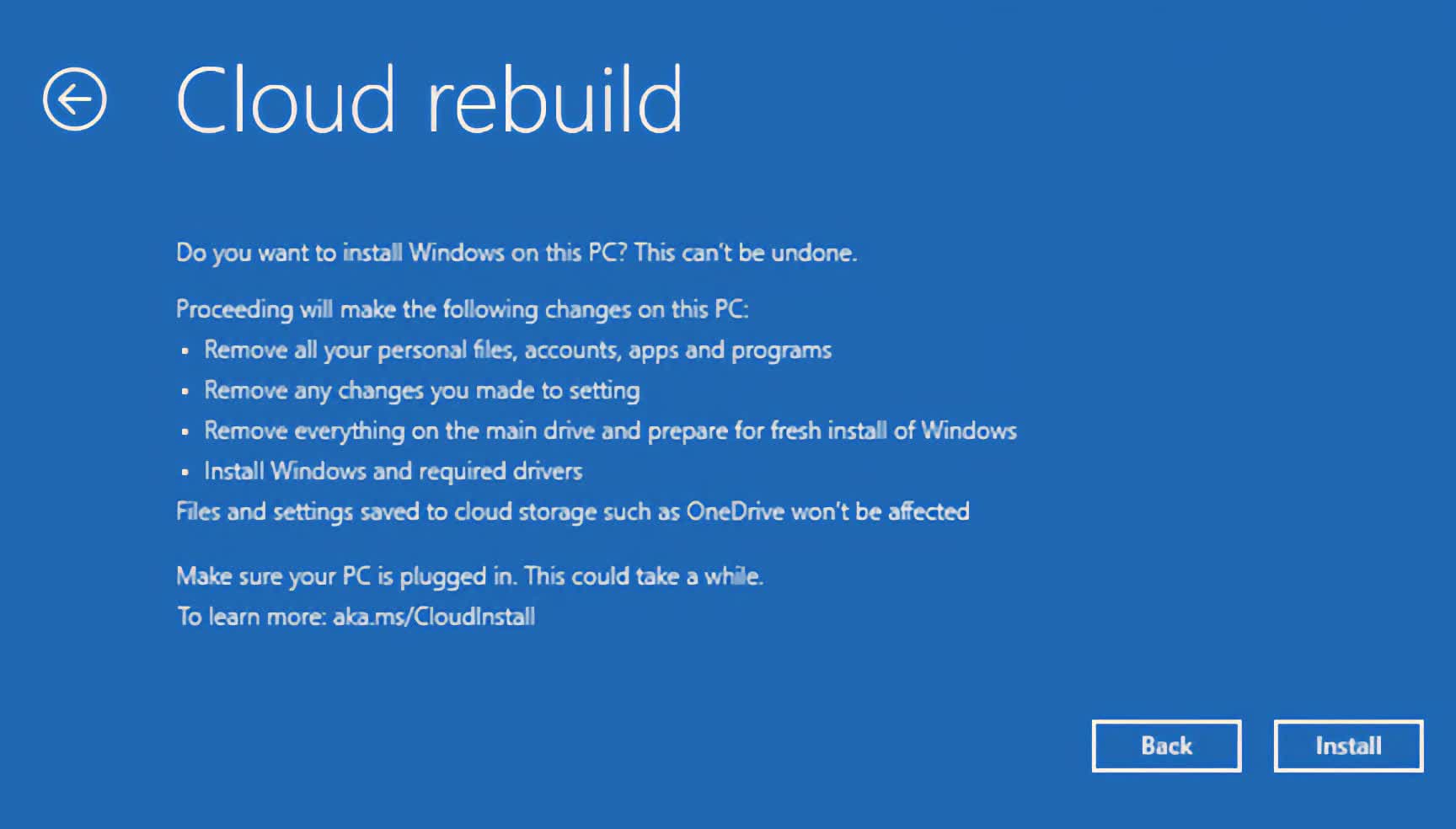
This builds on Point-in-Time Restore and Cloud Rebuild, two recovery features Microsoft has already shipped through preview and cumulative updates rather than holding back for 26H2.
Point-in-Time Restore lets admins roll a system back to an earlier healthy snapshot, and with 26H2 it also switches to enabled by default on managed devices with a large enough system drive. Cloud Rebuild can reinstall Windows and drivers directly from Windows Update, even when a PC won't boot.
Copilot moves deeper into Search and File Explorer
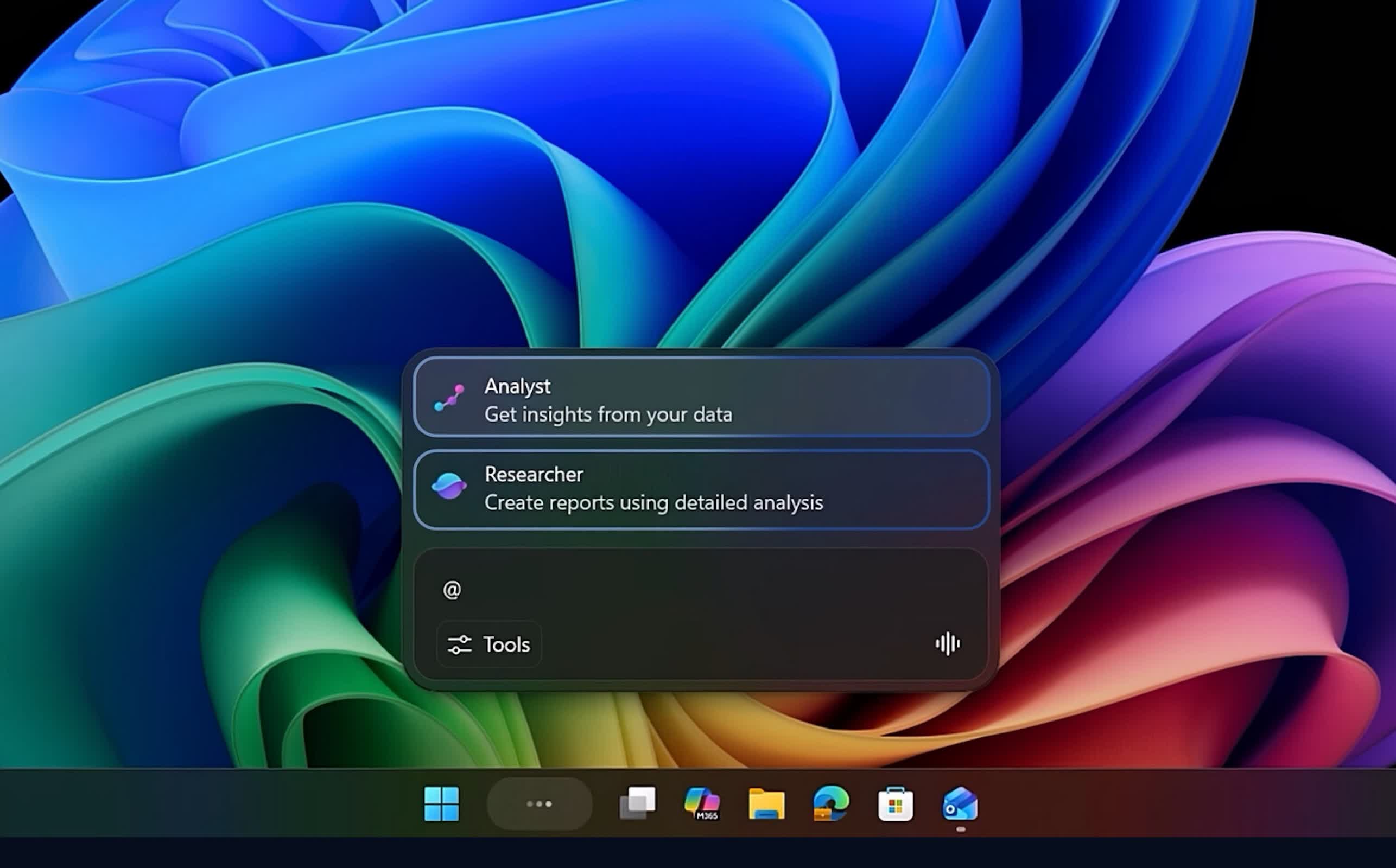
Copilot is set to be tied more closely into everyday Windows use. Microsoft is planning deeper Copilot integration in Search and File Explorer, including a dockable side panel in File Explorer, pushing the assistant beyond a separate sidebar app and into core workflows like finding files and navigating folders.
A few long-standing tools and protections get updated
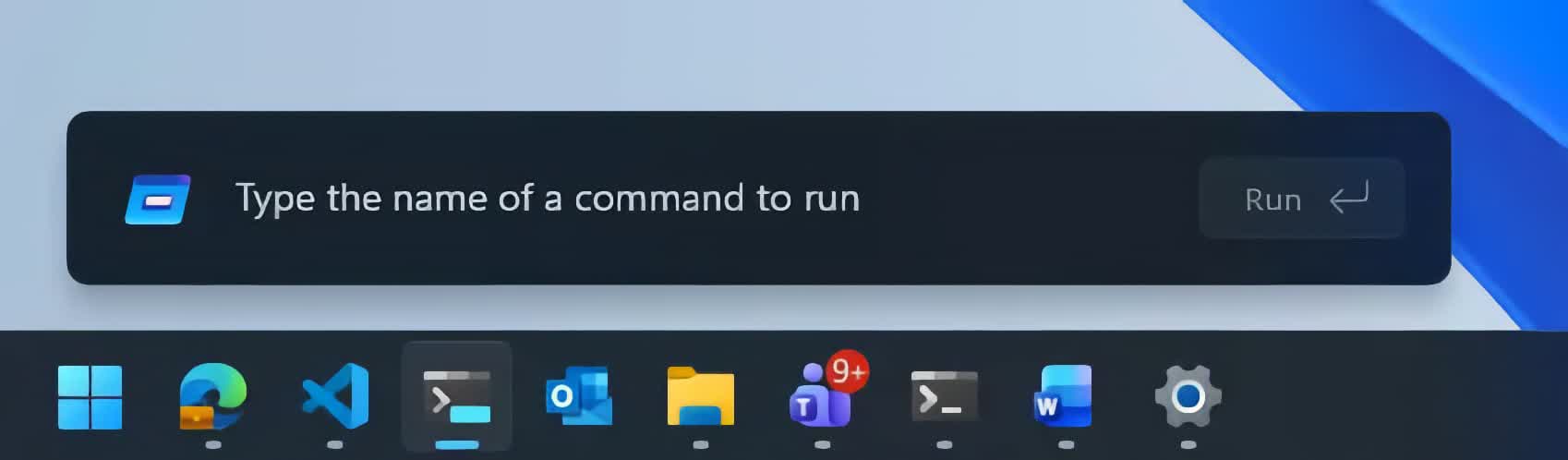
A handful of long-standing system tools and protections are being refreshed as well. A newer, optional Run dialog is on the way, aimed at modernizing a utility that many IT pros still use constantly; a toggle will let users switch back to the classic version.
Windows Security is also gaining Administrator Protection, a feature that replaces the traditional UAC prompt with Windows Hello authentication for elevated tasks, tightening how administrator-level operations are requested and approved.
Microsoft is delivering most of these smaller quality-of-life changes through cumulative updates across 24H2, 25H2, and 26H2, rather than waiting to bundle everything into a single release.
Support timelines and hardware requirements
On the lifecycle side, 26H2 mainly resets how long a Windows 11 install remains supported. Home and Pro editions get 24 months of support, and Enterprise and Education get 36 months, pushing support for new deployments out to roughly 2028 or 2029 depending on the edition.
The hardware floor doesn't change: any PC that can run Windows 11 24H2 or 25H2 can move to 26H2. The exception is Arm devices running Windows 11 26H1, a separate platform release (codenamed Bromine) built for newer Arm silicon like Qualcomm's Snapdragon X2. Those devices won't take the 26H2 update at all; Microsoft has said they're expected to move to version 27H2 sometime in 2027 instead.
Microsoft has said the 26H2 rollout is planned for the second half of 2026, likely around October, following the pattern of recent Windows 11 releases that have landed in late September or October.