
Paying for your morning coffee by tapping your phone against a terminal has become so routine that it's easy to forget how much happens behind the scenes during those two seconds.
Apple Pay launched in 2014, enabling users to make contactless payments without ever handing over their actual credit card number. It works wirelessly at compatible point-of-sale terminals using an iPhone or Apple Watch, and also on Macs with Touch ID when checking out on supported websites.
For most people, the payment process looks something like this:
- Double-click the side button to open Wallet
- Select a payment card
- Authenticate with Face ID or Touch ID
- Hold the iPhone or Apple Watch near the payment terminal
- NFC transmits payment credentials to the terminal
- The merchant verifies the transaction and payment is approved
Simple on the surface, but there is far more happening underneath.
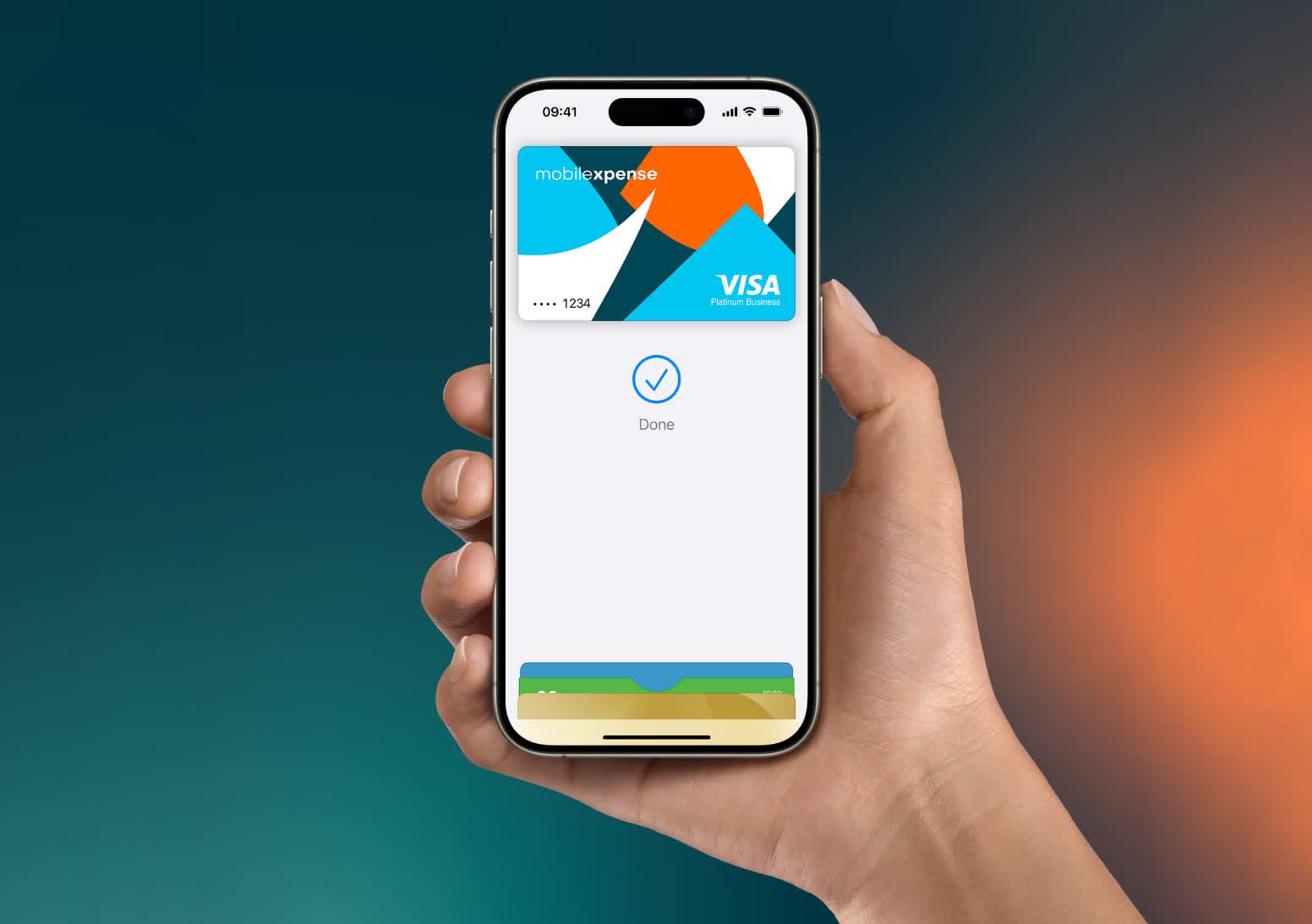
Contactless payments were met with some hesitation when they first appeared, but they have quietly become a standard part of everyday life. The idea itself isn't new, either.
ExxonMobil experimented with its Speedpass system back in the 1990s. What has changed is the sophistication of the technology powering modern digital wallets. Today, we're taking a closer look at the technical side of how Apple Pay works behind the scenes.
Before getting into the transaction flow itself, it's important to understand the two technologies at the core of Apple Pay: NFC and EMV.
Near-field communication (NFC) allows two devices to communicate wirelessly over very short distances, usually within about 4 cm. It operates on the 13.56 MHz frequency and uses inductive coupling between electromagnetic coils inside each device. The concept is similar to RFID, where communication only begins once two compatible devices are close enough to establish a connection.
EMV, short for Europay, Mastercard, and Visa, is the payment standard that governs how chip-based transactions are securely authenticated and processed. In contactless payments, NFC acts as the transport layer while EMV defines how payment credentials, cryptographic verification, and transaction authorization are handled between the card, device, bank, and payment network.
How Apple Pay Setup Works
Most modern EMV transactions rely on tokenization, allowing a device to make payments on behalf of a physical card without exposing the card number itself. This is where Apple Pay comes in.
When you add a card to Apple Wallet, the system creates a Device Account Number (DAN), a tokenized credential tied specifically to that device. Instead of transmitting your real card number during purchases, Apple Pay uses the DAN to securely communicate with the issuing bank and payment network.
When you add your bank card to Apple Wallet, this is what happens:
- Your card information is sent to Apple where it identifies which bank issued your card and requests a token.
- The issuing bank contacts a Token Service Provider (TSP) registered with EMVCo, the organization that manages EMV standards
- The TSP generates a token and associated cryptographic keys
- The bank returns the token, token key, and a CVV-key back to Apple who then provisions that data on the "secure element" located on the iPhone's hardware. This secure element is analogous to the TPM chip in Windows computers.
- The DAN (Device Account Number) is created which will allow payments through Apple Pay. Each DAN is unique to the hardware it's paired with, so if you have multiple devices, the DAN will be unique to each of those.
It must be noted that the issuing bank must have an existing partnership with Apple to enable transactions. This is because of the bank's responsibility to contact the TSP to request the actual token on behalf of Apple (and ultimately you).
One of the biggest security advantages of Apple Pay is that merchants never receive your actual card number. Only the DAN and transaction-specific cryptographic data are transmitted during payment authorization. Even if a retailer suffers a data breach, attackers would not gain access to your real credit or debit card information. From a business perspective, this also largely absolves Apple of any liability.
Okay, you have successfully registered your bank card with Apple Pay. What happens when you actually make a transaction?
How an Apple Pay Transaction Works
As mentioned earlier, Apple Pay combines NFC with EMV-based payment processing. The entire system is designed around minimizing exposure of sensitive financial information while still allowing transactions to complete almost instantly.
Everything begins with the Secure Element inside the device.
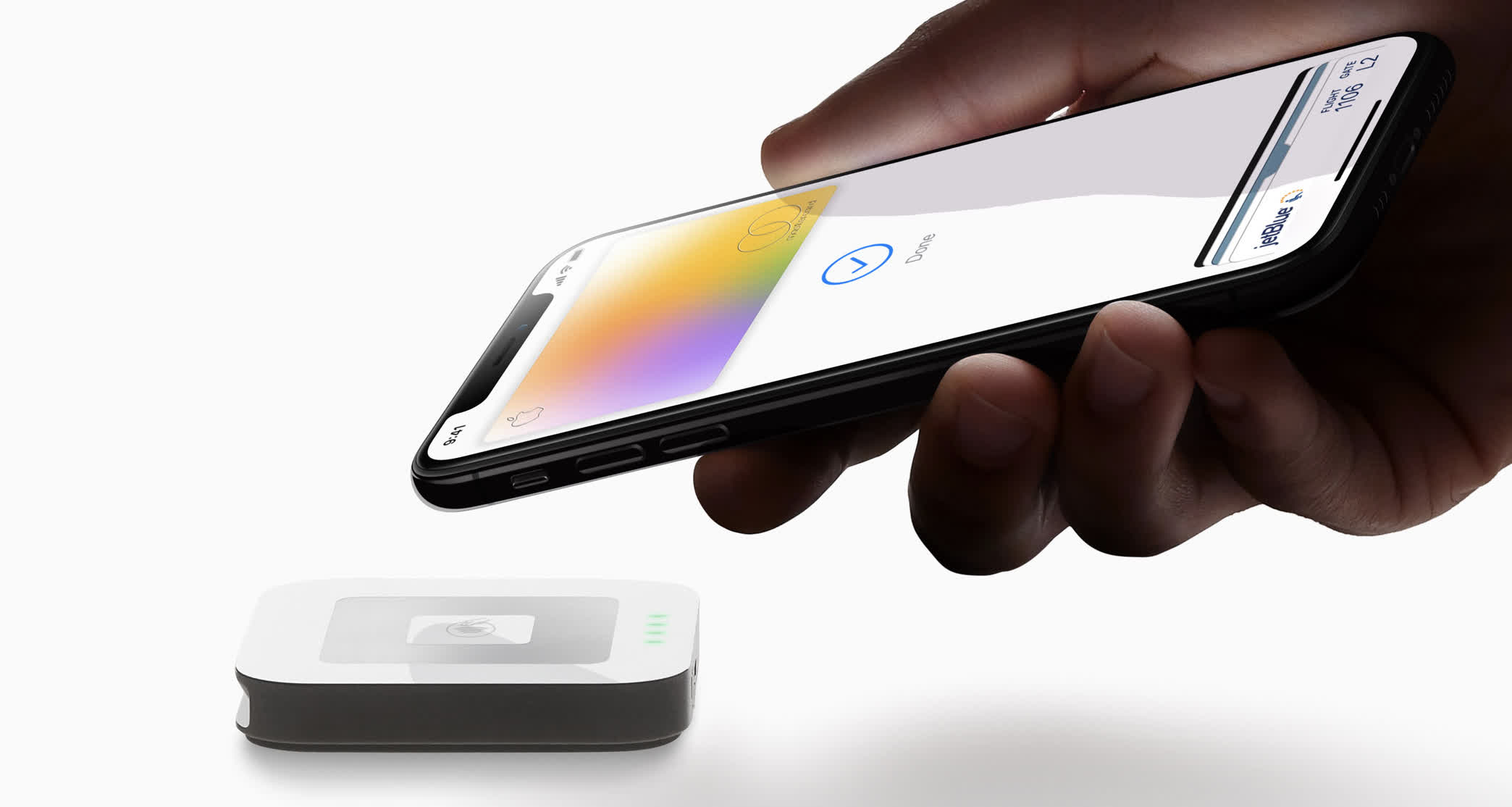
If you read our earlier article on passkeys, the Secure Element serves a similar purpose here. It securely stores cryptographic credentials, including the DAN and associated payment keys. The secure element can only be unlocked using biometric authentication or a PIN.
Whether you're paying at a physical location like a restaurant, inside an app, or through a website, the overall authorization flow is largely the same. Once the user authenticates, the following process takes place:
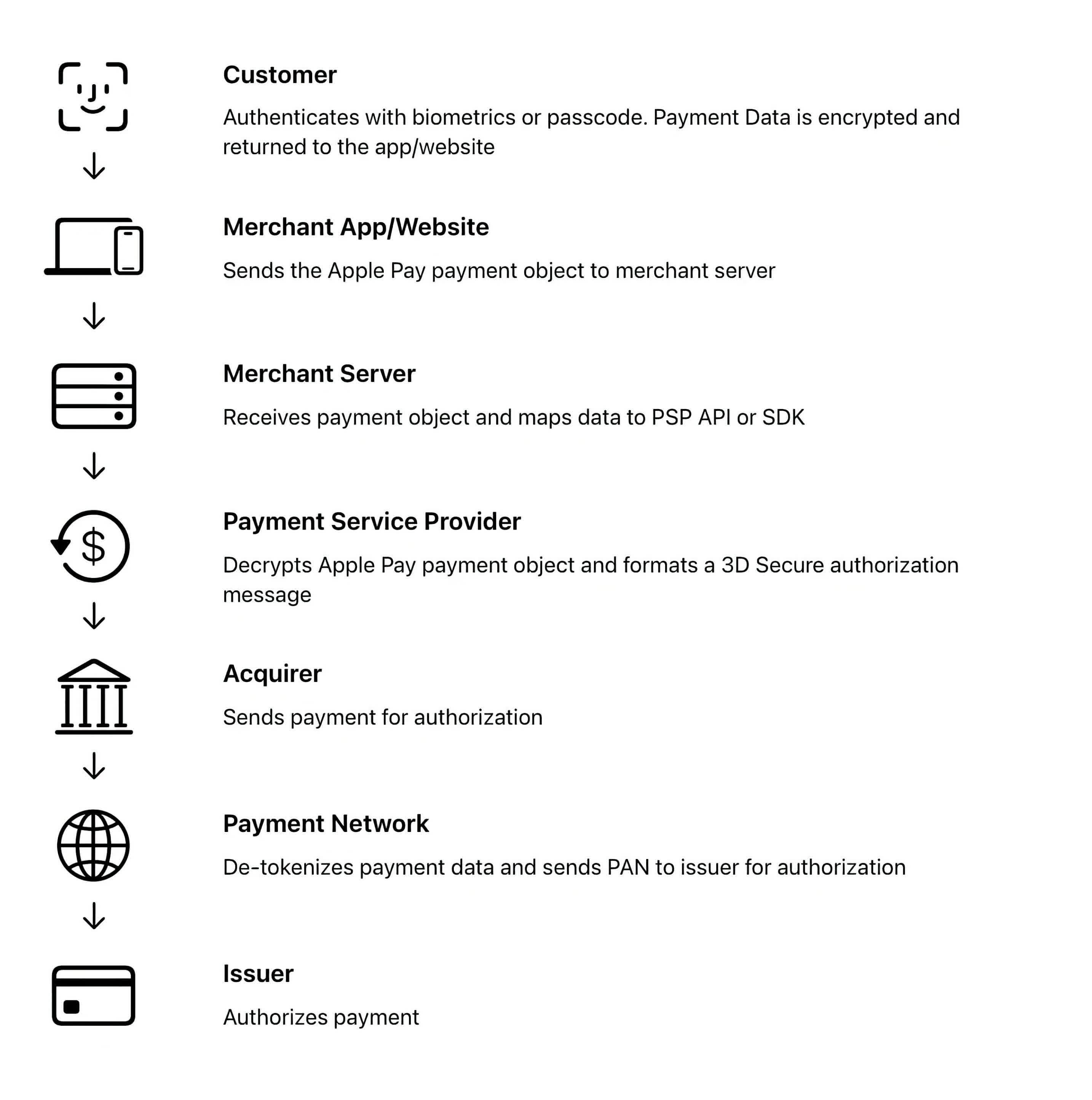
- The device creates a cryptogram using the token (DAN), token key, the amount you're trying to pay, and the payment token key. Additionally, a dynamic CVV is created using the CVV key given by the issuing bank during enrollment.
- This information is sent to the merchant application or website. The merchant's application uses specific APIs for that Payment Service Provider (PSP).
- The PSP decrypts the information, creating a 3D Secure authorization message. 3D Secure is an added authentication protocol used specifically to process financial transactions.
- The PSP then sends the request to the payment network (Visa, Mastercard, Discover, etc). Because a DAN is used and not the real credit card information, the payment network has to then forward the request to the TSP to get the real card information. If you remember, the TSP is the one that generated the token and thus would have the private key to unlock the real card info.
- The TSP validates the request using the private key and looks up the data to pass back to the payment network.
- Once the payment network receives the real credit card information, it gives it back to your bank to authorize the transaction. It first has to validate the dynamic CVV that was created and then compares the transaction amount to the amount available in the user's account. If there is enough money to cover the transaction, it authorizes the transaction.
- That authorization gets forwarded back to the payment network, then to the PSP (the merchant's bank), and finally to the point of sale. If you're using a physical terminal, that authorization gets sent back to your iPhone via NFC to validate that the transaction was approved.
All of this typically happens in just a few seconds.
The process demonstrates how different applications, networks, and protocols work together to securely handle sensitive financial transactions. The entire chain from securely storing the DAN on your iPhone to passing the token to each financial entity requires many things to work at the same time. Apple Pay depends on a tightly coordinated chain of cryptographic trust.
What About Google Pay?
That's a great question! Google Pay is a similar contactless payment system that also uses EMV standards. The biggest differences are in implementation and ecosystem design.
While Apple does not store any credit card information and instead uses the DAN as a representation, Google actually stores the credit card information on their own servers when you register with Google Pay. After registration, Google sends a token back to the phone.
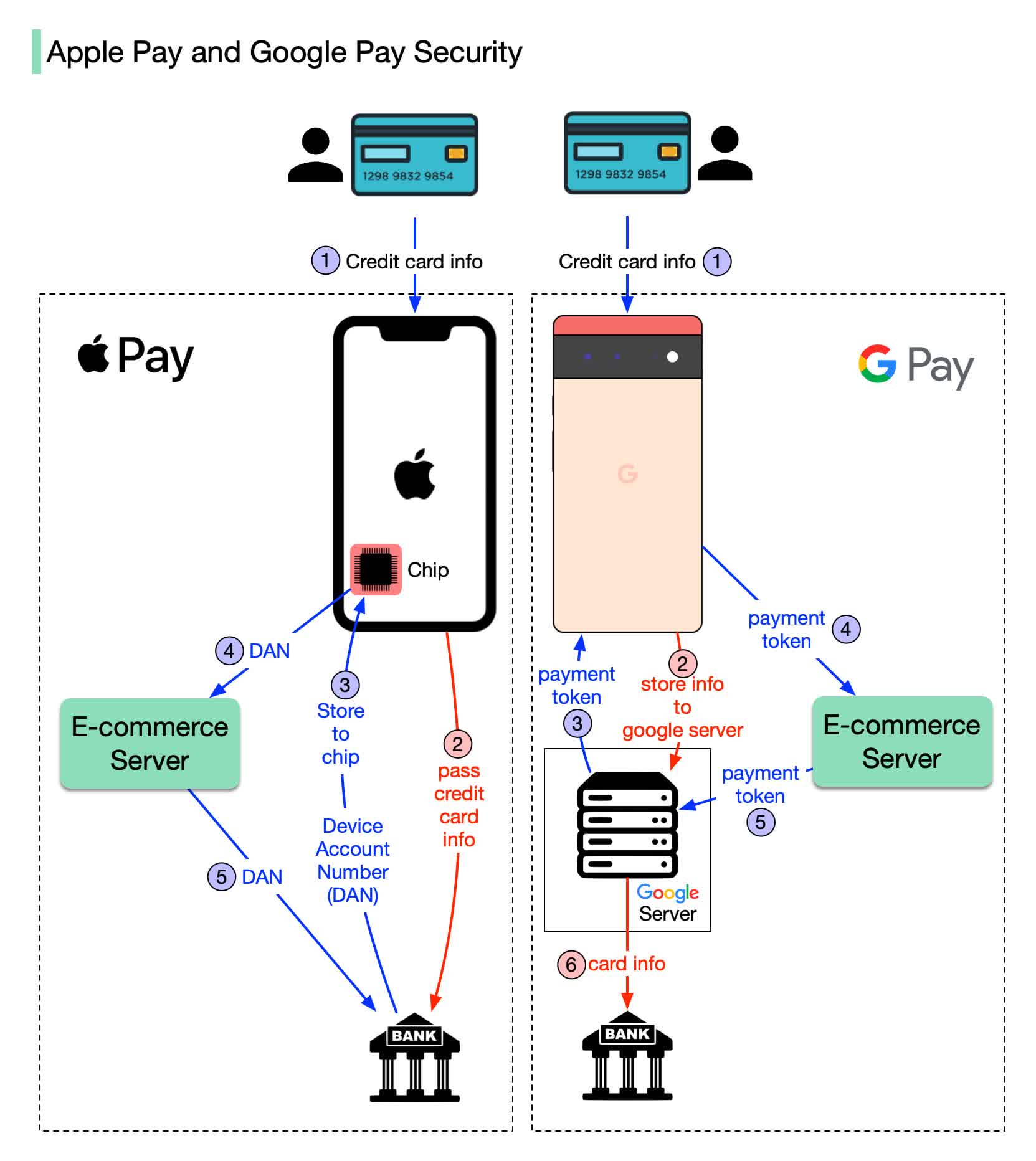
Image credit: ByteByteGo
The token from Google is what is sent to the merchant bank who then verifies the information with Google once they receive the token. Once verified, Google's servers send the credit card information to the bank.
Both implementations are highly secure, though one could argue Apple's is more secure because no payment information is stored. Google Pay users must rely on Google itself safeguarding their card information.
Apple Pay Security
Hacking Apple Pay at the protocol level is largely impractical, but that hasn't stopped fraud from occurring through other means. The most common vector is social engineering. Malwarebytes recently detailed a phishing campaign using fake "Apple Billing & Fraud Prevention" emails designed to trick victims into calling fraudulent support numbers and disclosing sensitive information.
In 2021, security researchers demonstrated a more technical attack exploiting Apple Pay's Express Transit mode, which lets users make quick payments – at subway turnstiles, for instance – without unlocking their phone.
The attack used a small radio placed near the victim's iPhone to mimic a transit terminal, while a custom Android app relayed signals to a real contactless payment terminal elsewhere. Because Express Transit bypasses the unlock requirement, the terminal was able to process large unauthorized payments.
Visa cards were specifically identified as vulnerable, though Visa maintained the attack was impractical outside a controlled lab setting. The vulnerability was never formally patched, so if you don't use Express Transit for commuting, disabling it is a sensible precaution.
You can further harden your setup by enabling Stolen Device Protection, which requires biometric authentication for sensitive actions even if someone knows your passcode. Additionally, you should remain cautious of suspicious texts, emails, or phone calls claiming to come from Apple or your bank. In practice, phishing and account compromise remain far more common threats than attacks against Apple Pay itself.