
Facepalm: Is the amount of storage you have left on your PC suddenly a lot lower than it should be? Then you may be one of the people experiencing yet another bizarre Windows 11 bug, one that can gobble up more than 500GB of drive space.
The bug, which was spotted by Windows Latest, is related to Windows 11's Capability Access Manager, a system component tied to Microsoft's app permission controls. It manages access to privacy-sensitive features such as the camera, microphone, location, contacts, and screen capture, and records when apps request or use those capabilities.
The problem is not with the permission system itself so much as one of the files behind it: CapabilityAccessManager.db-wal, the write-ahead log for the Capability Access Manager database.
A WAL file can grow during normal use, but it's supposed to be merged or compacted back into the main database. In affected systems, the file keeps filling the system drive and then remains huge.
Some users have reported it growing to around 70GB to 200GB, while others say it has reached 500GB and sometimes even higher. One Reddit user said TreeSize showed the file taking up about 513GB.
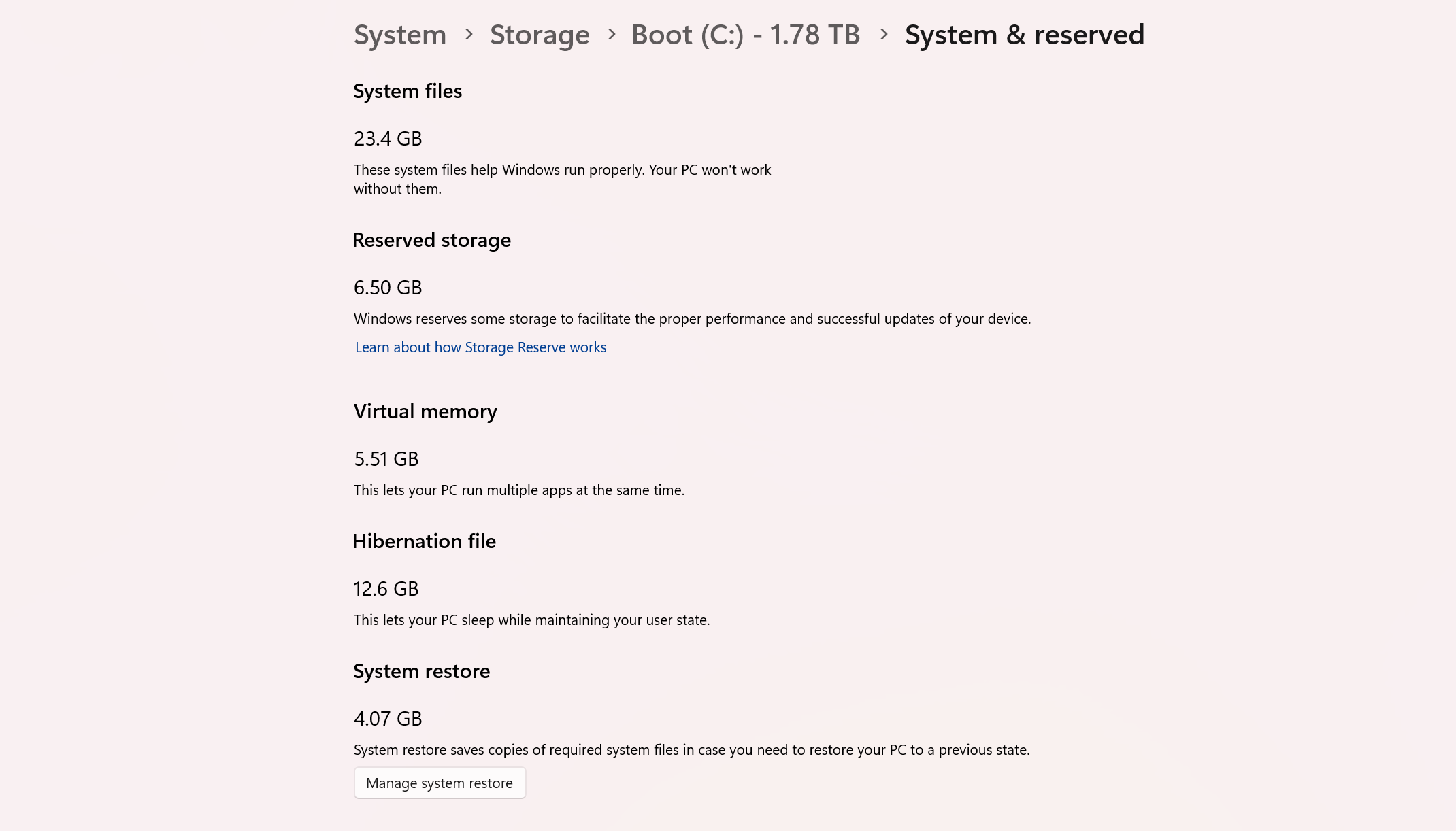
To find out if you've been impacted by this annoying issue, go into Settings > System > Storage, then select Show more categories. If System & reserved, or more specifically System files, is showing hundreds of gigabytes, you're likely one of those affected.
If System & reserved seems high but not quite at that hundreds-of-gigabytes level, Windows Latest notes that affected users can also check the protected folder from an elevated Command Prompt by running the following list-only Robocopy command, which does not copy or delete any files:
robocopy "C:\ProgramData\Microsoft\Windows\CapabilityAccessManager" "%TEMP%\CAMCheck" /L /B /R:0 /W:0 /BYTES /NP
The file to look for in the output is CapabilityAccessManager.db-wal. If it is only a few megabytes, your system is probably fine. If it is several gigabytes and keeps growing, the bug has likely struck.
There does appear to be a simple fix for the problem: installing Windows 11 KB5095093, which includes builds 26200.8737 and 26100.8737. The update can be downloaded through Windows Update's optional updates section in advanced settings, or users can wait for the fix to arrive more through July's regular Patch Tuesday rollout.
Microsoft's release notes now state that KB5095093 "improves disk space usage for the CapabilityAccessManager.db-wal file," though the company has not offered a full public explanation for why some Windows 11 systems allowed the file to balloon into the hundreds of gigabytes in the first place.