

Canva is an easy-to-use design platform for creating social media graphics, presentations, videos, logos, and photo collages. It offers thousands of customizable templates, stock images, animations, and music, making it accessible to users with little or no design experience.
Canva also includes collaboration tools that let teams edit designs together, manage brand assets, share feedback, and approve content. Finished projects can be downloaded, presented, scheduled for social media, shared online, or printed.
Is Canva free?
Canva includes a free plan that includes a limited selection of templates, graphics, and fonts for designing social media images, videos, or multimedia presentations. We think the free plan is more than enough for beginners, but should you need more, a paid subscription gets you premium features and more design elements.
What file types can I use to export my Canva designs?
Canva allows you to export in several file formats, including JPEG, PDF, SVG for images, PDF and PPTX for documents and MP4 or GIF for videos.
Which images can I upload to Canva?
Canva accepts .jpg, .png, and .svg files. If your image is in a different format, you'll need to convert it first.
Can someone else edit my designs?
Yes, Canva offers a collaboration feature that allows multiple people to work on the same design at the same time when using a Canva for Teams account.
Features
Free Templates - endless creative possibilities
- Start inspired with thousands of customizable templates
- Playful Facebook posts, Insta layouts, Instagram post maker, IG Story, & mood boards
- Professionally-designed invitations, flyers, gift certificates, etc. to boost your business or event
- Showcase your product with our logo maker
- Visualize data with sleek presentation templates and slideshow maker
Photo Editor - free to use, no ads, no watermarks
- Effortless picture apps to crop, flip, & edit photos
- Adjust brightness, contrast, saturation, tint, blur, etc.
- Auto Focus for background blur & sharpen photo subject
- Apply your style with aesthetic filters & effects (Retro, Pixelate, Liquify, etc.)
- Top it off with text on photos and loads of stickers
- Fun photo grid & photo collage maker
- Design easily on a small screen without disruption from ads
Video Editor - make amazing videos in just a few taps
- Produce professional videos right on your phone
- Trim, cut, & split video layout and audio tracks
- Crop, resize, and flip videos & images to any dimensions
- Make static images move with one-tap animations & page transitions
- Overlay multiple audio tracks of music, sound effects, & voiceovers
- Use the video editor as a video collage maker & slideshow maker too!
Social Media - hit it big with on-trend content
- Discover thousands of templates for Instagram, TikTok, Facebook, Twitter, YouTube, Snapchat, LinkedIn etc.
- Queue your planned posts on Instagram with Scheduler [Canva Pro]
- Play with our photo editor for thumb-stopping Instagram layouts
- Use as a banner maker for eye-catching thumbnails & ads
- Easy collage maker & video editor to create photo grids, collages
Free Stock Library - over 2M+ assets for you
- Complete package: all the elements you need are here
- 2M+ royalty-free images
- Thousands of watermark-free stock videos
- 25K+ pre-licensed audio & music tracks
- Add text on photos with 500+ fonts & effects (curved, neon, and more)
- Graphic design elements - illustrations, stickers, photo frames, etc.
- Beautifully animated charts, graphs, & tables from any data
Smart Mockups - see your designs on a shirt or poster
- Look professional by visualizing your designs on products
- High-res mockups for phones, laptops, posters & other displays
- Order printed flyers, mugs, and apparel for gifts or business
Real-Time Collaboration - with anyone across any device
- Edit team projects & presentations anytime, anywhere
- Start a design on mobile & finish on your desktop seamlessly
- Work with your team in real-time, leave comments & apply changes
Canva Pro - get more for a low monthly cost
- Access premium templates, images, videos, audio & graphic design elements
- One-click Background Remover
- Magic Resize - Instantly resize your project to any photo & video layout
- Brand Kit - Stay on brand with consistent logos, fonts, & colors
- Scheduled publishing to Instagram, Facebook & more
Design for Everyone
- Personal - Layout designs for creative & professional pursuits like Instagram templates, resume, photo collages, etc.
- Entrepreneurs - Grow your business with our logo creator, video editor, poster maker, etc.
- Students & Teachers - Engage with beautiful presentations and worksheets
- Social Media Managers & Content Creators - Use the photo editor and collage maker for consistent visuals & mood boards for your brand
What's New
- Windows version updated to 1.126.2
- macOS version updated to 1.126.2
- Android version updated to 13.1.4
Introducing Canva Craft
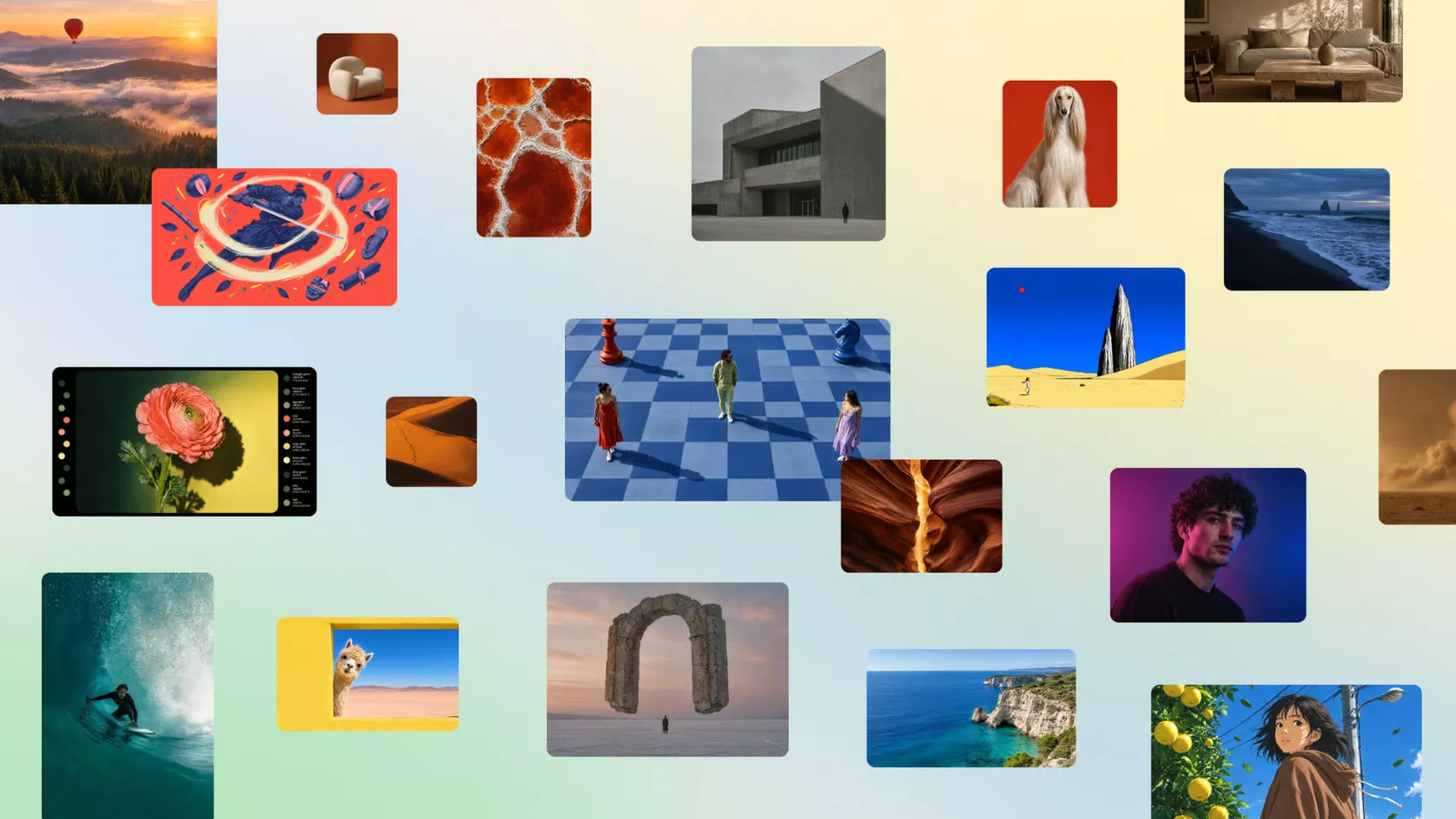
Our first image model makes Canva Research the world's second most advanced AI lab for image generation.
Today, we're unveiling Canva Craft, our first state-of-the-art image generation model, developed and trained by Canva Research, our in-house AI lab. Built specifically for design, Craft makes Canva the world's second most advanced AI lab for image generation, as measured by rankings from DesignArena, the largest crowdsourced assessor of AI design.
Available now in Canva and to developers through our public API, Craft generates stunning, high-quality images at 2K resolution in any aspect ratio. With precise control and editable outputs, Craft gives everyone from first-time creators to professional designers more flexibility to bring their imagination to life.
Extraordinary image generation, now available to everyone.
Craft is the first foundation model built and trained from scratch by Canva Research, bringing together years of AI research and investment to deliver a deeper understanding of design, results that more closely match what you imagined, and the freedom to easily edit and refine everything you create.
It debuted as the fourth most advanced image generation model on DesignArena, delivering industry-leading visual quality and accurate text rendering to support a wide range of creative tasks.
It also makes Canva Research the world's second most advanced lab for image generation.
Craft outputs rank #1 spot globally for both People & Portraits (out of 87 models) and Landscapes & Nature (out of 85 models). It also ranks #2 for Abstract & Patterns and #4 for Products, placing it among the world's best models across multiple subcategories.
With more than a quarter of a billion people using Canva to create over 400 designs every second, delivering frontier-level performance at scale requires breakthroughs in both compute efficiency and inference speed. Through advanced model distillation, we reduced the number of inference steps required by Craft to a fraction of the original model.
We also developed a custom inference engine optimised for its planning stage, making Craft an orderof magnitude faster than our first internal version. These advances underpin Craft-fast and Craft-ultrafast, two upcoming variants designed to deliver high-quality image generation at a fraction of the cost of leading frontier models.
A new architecture for image generation
Unlike conventional image generation models that generate pixels directly from a prompt, Craft uses a two-stage architecture that separates compositional planning from image rendering. This allows the model to reason about the structure of an image before generating it, delivering greater precision, consistency and control over the final output.
In the first stage, we designed an image planning model to interpret the prompt and write a detailed plan of the composition: which elements appear, their spatial relationships, relative scale, visual hierarchy, and any text that needs to appear in the image. In the second stage, a dedicated image rendering model translates this plan into a high-fidelity image at up to 2K resolution across more than 30 aspect ratios.
By explicitly modelling composition and typography before rendering the final image, Craft can generate complex layouts with greater accuracy, including legible text, precise object placement and consistent visual relationships. This architecture also enables more granular control over individual elements, allowing targeted changes without unnecessarily altering everything else.
The same underlying structure makes Craft outputs particularly well suited to Canva's Magic Layers, which can transform generated images into fully editable design elements. It also provides the technical foundation for more advanced editing and reference-image capabilities coming in future releases.
Built for design, evaluated by real designers
While most image models are trained primarily on photographs, Craft's training places a much greater emphasis on design. Its training data includes millions of human-made templates from Canva's content library, spanning professionally designed posters, social posts, presentations, infographics, menus and typography-rich layouts. Unlike flat images, these templates teach the model exactly how layout, hierarchy, and typography fit together. This gives the model a deeper understanding of the principles behind effective design, rather than simply learning what finished images look like.
Following pre-training, we optimised Craft through supervised fine-tuning and reinforcement learning, incorporating feedback from Canva's professional designers to improve instruction following, typography accuracy, and overall visual quality. For our internal evaluations, Canva's professional designers worked alongside dozens of researchers to assess more than 25,000 pairs of images in head-to-head comparisons with leading models. When automated evaluations and human judgments differed, we sided with the designer.
Generate images with greater precision and control
Craft produces photorealistic images that bring together the fine detail, depth, and soft transitions of real-world imagery with the thoughtful composition of design: deliberate hierarchy, alignment, spacing, crisp edges and text that lands where it should.
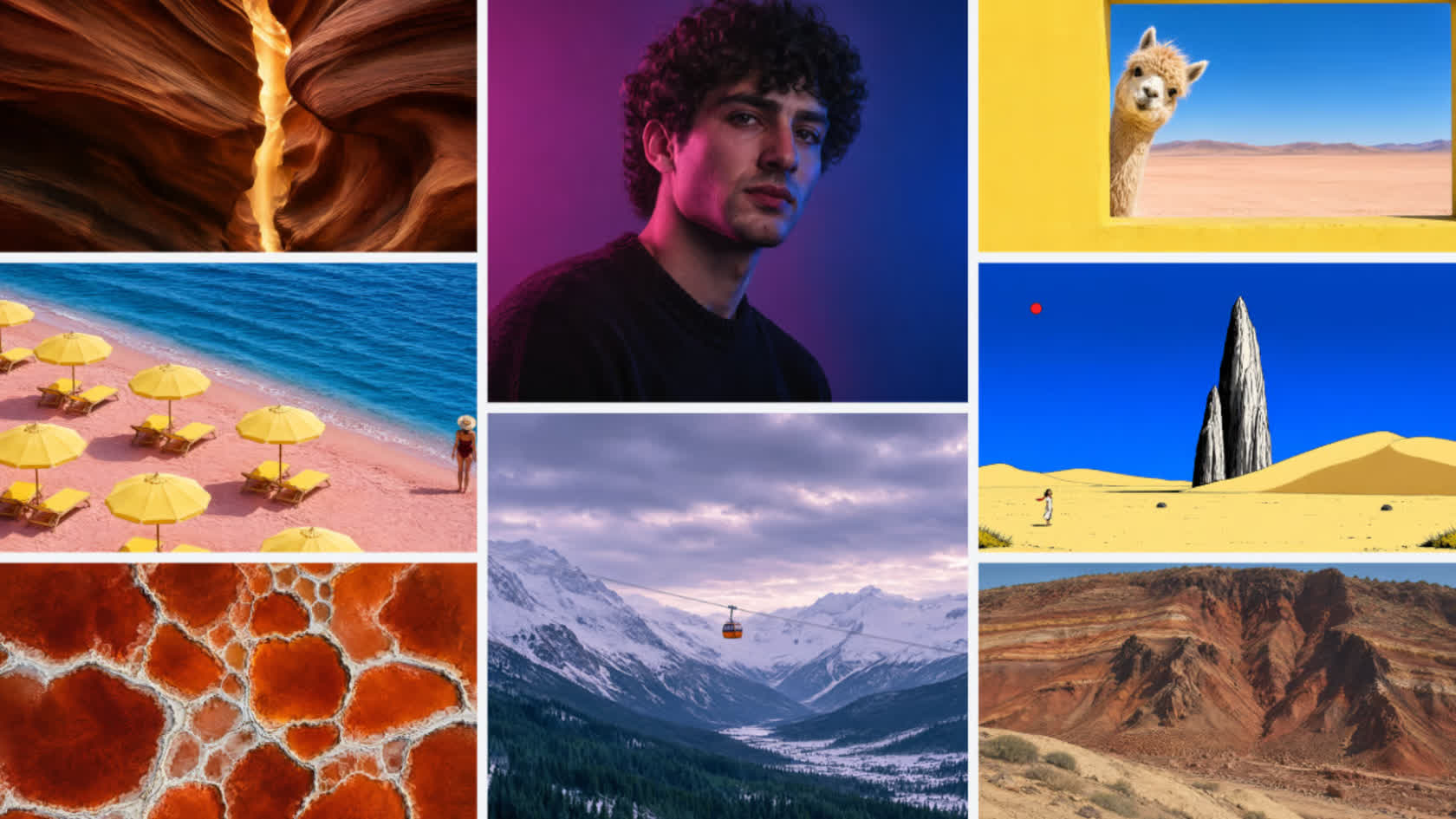
With Craft, it's easy to:
- Shape images your way. Craft treats the whole image as an intentional composition of layered elements. JSON boundary boxing makes it easier than ever to convert images into editable layers with Magic Layers, with more accurate and faster results.
- Perfect every detail. Ask for a purple sky, long shadows and a lone tree, and you'll get all three, with the emphasis where you wanted it.
- Create in any size, for any use case. Choose from one of more than 30 aspect ratios, or enter your own to create everything from social posts or stories to posters or banners.
- Prompt in your language. Prompts can be written in any language, and Craft can create text in 55 languages.
As a result, Craft is built to support a wide range of creative work, from polished marketing assets to imaginative visual exploration:
- Social content and marketing assets: posters, social posts, flyers, presentation visuals, ads and more, with layouts, hierarchy and text that are ready to use.
- Lifestyle and editorial photography: realistic scenes featuring people, places, food, travel and everyday moments.
- Illustration and digital art: flat, vector, painterly and hand-drawn styles.
- People and characters: portraits, groups and fashion, including complex scenes that stay coherent.
- Nature and environment imagery: landscapes, cityscapes, interiors and architecture.
- Creative and conceptual work: imaginative compositions that bring real and stylised elements together.
Availability and how to access
Canva Craft is available starting today to all Canva users globally. To start 'crafting', open Dream Lab in the bottom left panel..
Craft is also available via Public API and the Canva MCP Server, representing Canva's push to develop AI models that extend the reach of our technology beyond our core product.
- Public API: Developers and product teams can build Craft into their own tools, like marketing platforms, e-commerce sites, ad builders and print services. It's also the quickest way for those to test Craft on their own prompts and compare it with other models.
- Canva MCP (Coming Soon): Craft also connects to AI assistants and automated workflows through Canva MCP, so agents can create images that are ready to use in a design. That means an AI assistant can make a launch graphic, a product shot or a social post as one step in a bigger task.
Backed by Canva Shield
Safety is built into every stage of how we develop and deploy AI at Canva. Our models undergo continuous testing and rigorous safety evaluations to identify and mitigate potential risks. Alongside visual quality, we evaluate brand safety, cultural context and the potential for harmful content to ensure our models meet our standards before they're released.
Like all AI products on Canva, Craft is backed by Canva Shield, our comprehensive approach to AI safety. This includes robust input and output moderation, privacy and safety controls, and reporting tools that allow people to flag potentially harmful or misleading content.
Read the complete release notes here.
Android version updated to 13.1.4
- New templates: YouTube sets for a variety of channels, LinkedIn banners and Life Tab designs
- New: auto-navigation menu for Canva websites
- Fixed a bug with opening video files using Canva. Videos should now load in the editor without any issues.
Need help? Let us know at https://canva.me/android. Keep on creating!
